EnterprisePricing

Introduction
Managing invoices can be a tedious task for small to medium-sized businesses. Fortunately, tools like , Rowmesh, and can simplify the process significantly. This guide will show you how to generate invoices using these powerful tools.
Why Use Airtable for Invoices?
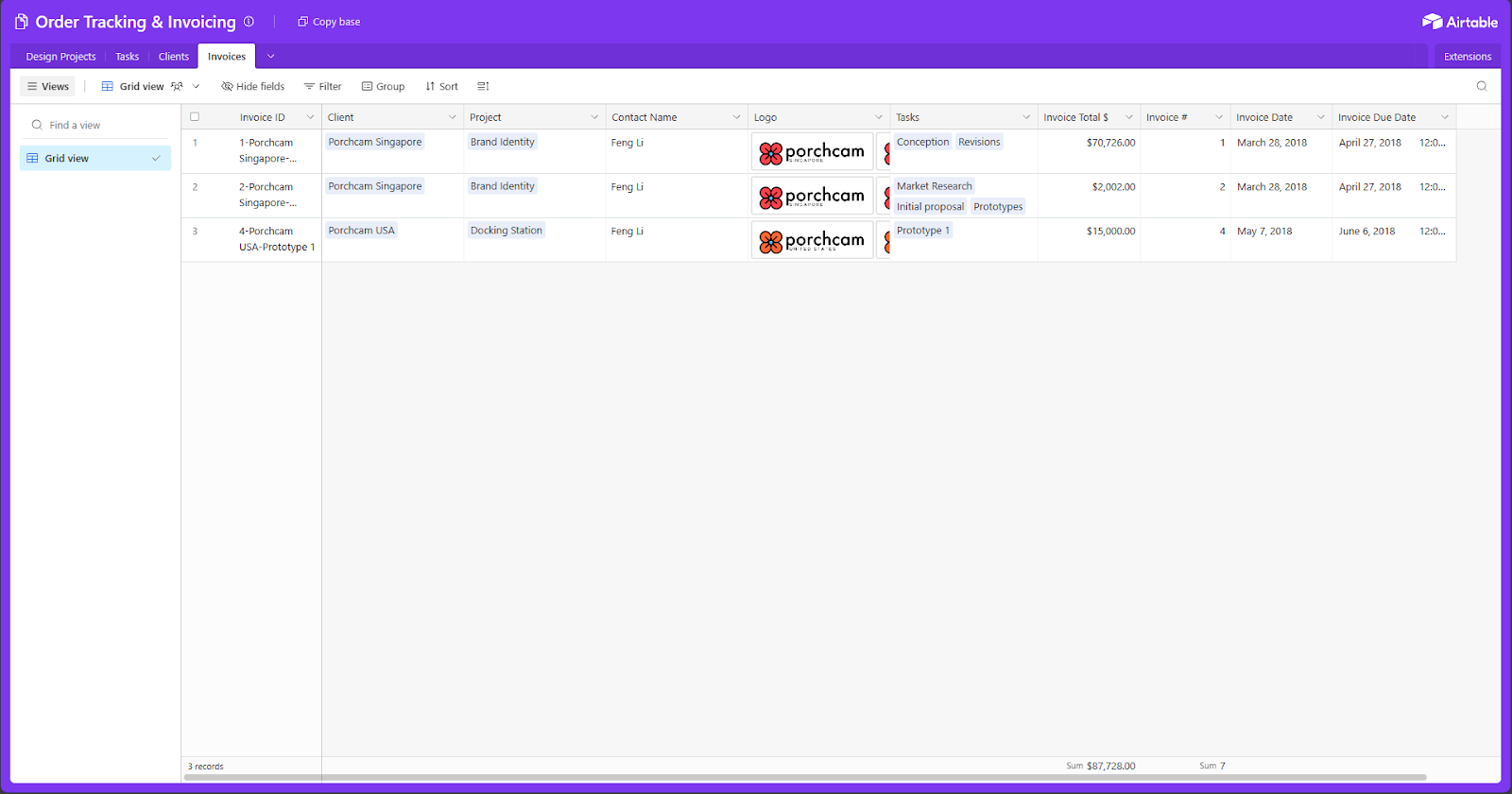
Airtable combines the simplicity of a spreadsheet with the power of a database. This makes it an ideal tool for managing your invoicing needs. With Airtable, you can easily track your clients, projects, and payments in one place.
Setting Up Your Airtable Base:
Create a New Base: Start by creating a new base using
Customize Fields: Include fields such as Client Name, Project Description, Invoice Date, Due Date, Amount, and Status.
Integrating Rowmesh for Custom Workflows
Rowmesh allows you to build custom applications without writing a single line of code. By integrating Rowmesh with Airtable, you can create a more streamlined invoicing process.
Creating Your Rowmesh App:
Connect Airtable: Link your Airtable base to Rowmesh.
Design Your Workflow: Use Rowmesh’s intuitive interface to design a workflow that suits your needs, such as creating forms for new invoices and setting up notifications for due dates.
Customize Your Interface: Build a user-friendly interface for your invoicing system to manage invoices easily.
Automating Document Creation with DocsAutomator
DocsAutomator helps you generate documents from templates. When combined with Airtable and Rowmesh, it can enhance your invoicing process.
Setting Up DocsAutomator:
Choose a Template: Use one of .
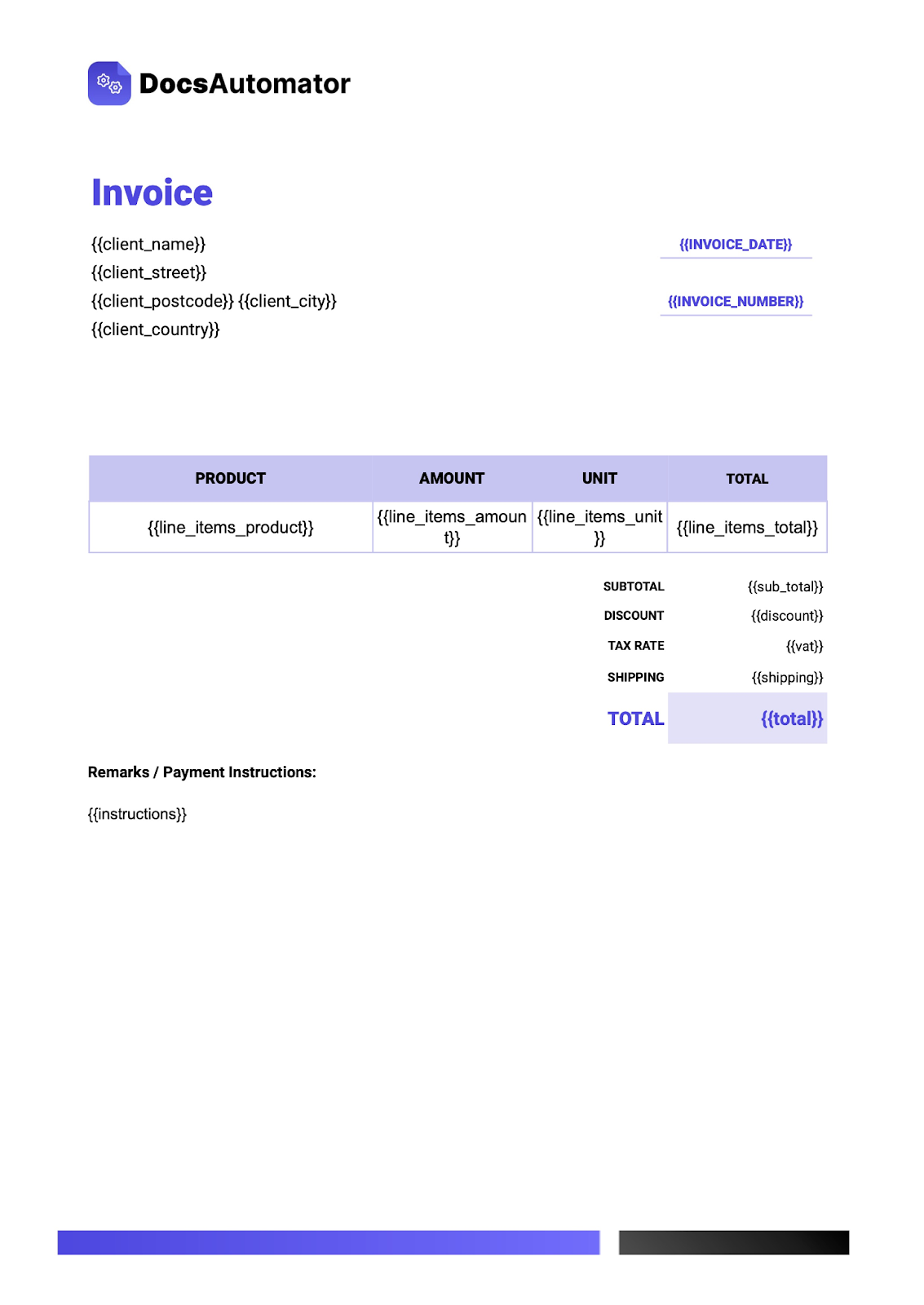
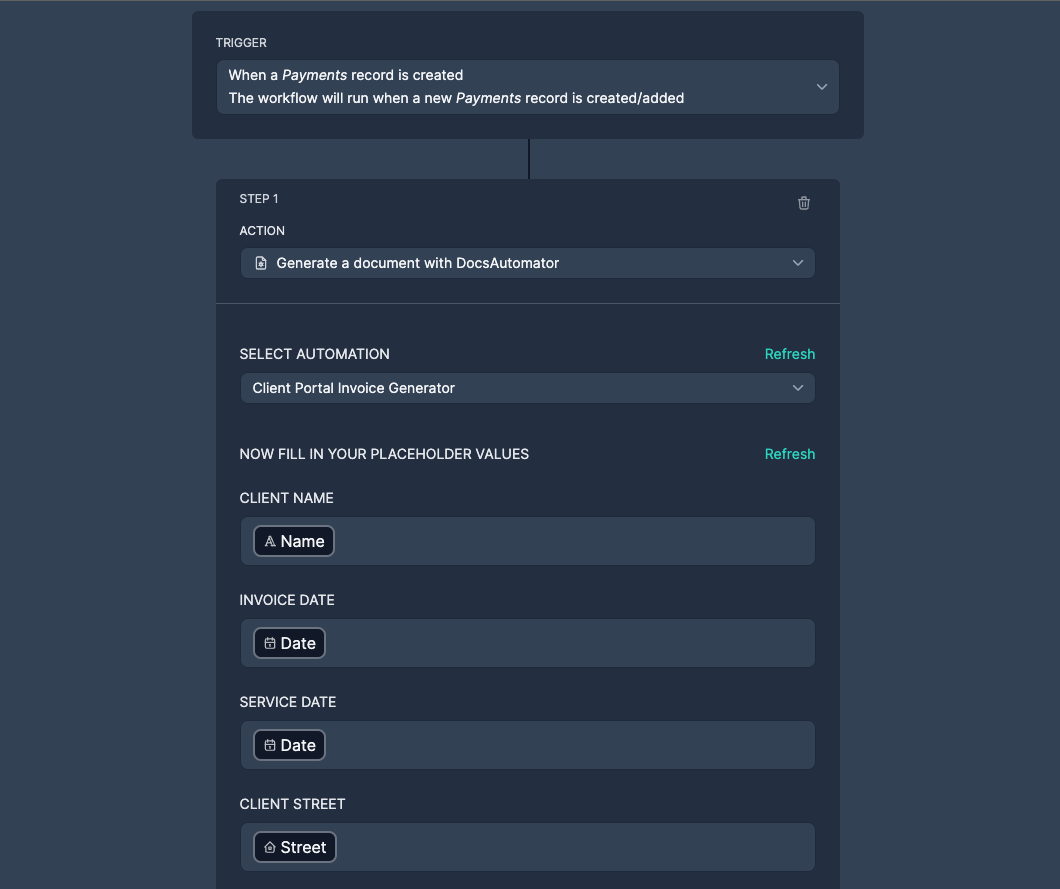
Automate Document Creation: Use Rowmesh’s native integration to automatically generate invoices based on your Airtable data, saving time and reducing errors. Learn more about this integration.
Putting It All Together
By using Airtable, Rowmesh, and DocsAutomator together, you can create a seamless invoicing process that saves time and ensures accuracy. Here’s a quick recap:
Set Up Airtable: Create a base with the necessary fields for your invoices.
Integrate Rowmesh: Build a custom app to manage your invoicing workflow.
Automate with DocsAutomator: Use templates to generate invoices automatically.
Invoicing doesn't have to be a headache. With Airtable’s organizational capabilities, Rowmesh’s customizable workflows, and DocsAutomator’s automated document generation, you can streamline your invoicing process and focus more on growing your business. By integrating these tools, you can ensure that your invoicing is efficient, accurate, and professional.
Author


Our recent posts
Explore all blog posts


Your most common
questions—answered!
Who is Rowmesh best suited to?
+
-
Rowmesh is perfect for small to medium-sized service businesses like consultancies, agencies, advisory firms, as well as engineering and industrial services such as energy, construction, or any other operations-focused fields.
Do I need tech experience to use the platform?
+
-
Not at all! Rowmesh is designed especially for non-tech teams. Simply build your custom system using a drag-and-drop interface. No developers needed!
Is my data secure?
+
-
Absolutely! Security is very important to us. Our access control features let you limit who can see certain data, so only the right people can access sensitive information
Do you offer customer support?
+
-
Yes! We provide customer support through various channels—like chat, email, and help articles—to assist you in any way we can.
My business is growing fast—can Rowmesh keep up?
+
-
Definitely! Rowmesh makes it easy to tweak your system as your business grows, adapting to your changing workflows and needs.
Is there any training or support available to help my team get up to speed?
+
-
Yes! We offer tutorials, guides, and AI assistance to help you and your team learn how to use Rowmesh quickly.
Can I make changes to my app after it’s been created?
+
-
Of course! You can adjust your app whenever needed. Add new features, redesign the layout, or make any other changes you need—you’re in full control.
Ready to boost
your business?
Build your custom tool with Rowmesh